
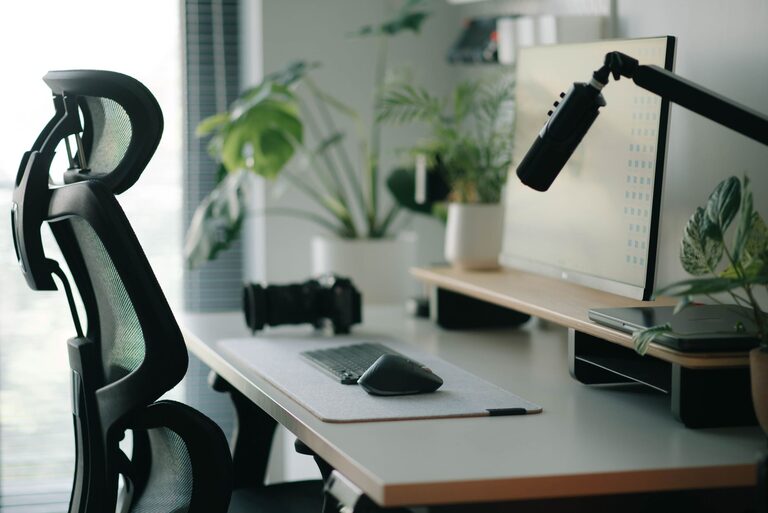
Creating a desk setup that promotes both focus and comfort can dramatically improve your productivity and well-being. Whether you work from home, study, or spend long hours at a desk, an organized and ergonomic workspace helps minimize distractions, reduce physical strain, and keep you motivated throughout the day. This guide will walk you through practical tips to design a desk setup that enhances concentration and comfort.
Why Your Desk Setup Matters
A well-arranged desk is more than just a tidy surface. It impacts your posture, energy levels, and mental clarity. Discomfort or clutter can lead to frequent breaks, loss of focus, and even physical issues like neck or back pain. By prioritizing both functionality and comfort, you set the stage for sustained productivity and a healthier work routine.
Choosing the Right Desk and Chair
Desk Height and Size
– Height: Your desk should allow your elbows to rest at a 90-degree angle when typing or writing. Standard desk heights are often around 28-30 inches, but adjustable desks give greater customization.
– Size: Select a desk large enough to fit your essential items while leaving space to work freely—consider at least 48 inches wide for most setups.
Ergonomic Chair
– Look for a chair with adjustable height and lumbar support.
– Ensure your feet rest flat on the floor or on a footrest.
– The chair should allow you to sit upright with your back fully supported.
Monitor Placement for Eye Comfort
– Position your monitor directly in front of you, about an arm’s length away.
– The top of the screen should be at or slightly below eye level to avoid neck strain.
– If you use multiple monitors, align them to reduce excessive head-turning.
Keyboard and Mouse Setup
– Place your keyboard and mouse close enough to avoid overreaching.
– Keep your wrists in a neutral position; wrist rests can help maintain comfort.
– Consider using ergonomic keyboards or mice if you experience discomfort.
Lighting and Screen Glare
– Use natural light when possible, but avoid glare on your screen.
– Position your desk perpendicular to windows rather than facing them directly.
– Add a desk lamp with adjustable brightness and color temperature to reduce eye strain during cloudy days or late work sessions.
Organizing Your Desk for Minimal Distractions
Declutter Regularly
– Keep only frequently used items within arm’s reach.
– Store papers, books, and gadgets in drawers or shelves.
– Use cable organizers to avoid tangled cords.
Use Organizational Tools
– Desk trays, pen holders, and small drawers help keep tools orderly.
– Label storage containers for quick access.
Adding Comfort Elements
– A small plant can boost mood and purify air.
– Use a footrest or a cushion for added support.
– Maintain a comfortable room temperature and good ventilation.
Incorporating Break Areas and Movement
– If space allows, have a separate spot for stretching or short breaks.
– Use sit-stand desks to alternate between sitting and standing.
– Stretch or move every hour to reduce stiffness and promote circulation.
Maintaining Your Setup
– Review and adjust your desk setup every few months.
– Clean your workspace routinely to prevent dust and clutter buildup.
– Pay attention to any signs of discomfort and make ergonomic adjustments accordingly.
Final Thoughts
A focused and comfortable desk setup doesn’t need to be complicated or expensive. Small changes like adjusting monitor height, organizing your space, and investing in ergonomic furniture can make a significant difference in your daily productivity and well-being. Take time to personalize your setup to your needs, and enjoy a more pleasant and efficient workday.